

Your school's smart platform, under your name
Your school, in every family's pocket
One app in your school's name and crest for parents, students and teachers — and one panel your office runs the whole school from.
- Peace of mind for parents
- Control for your office
- Prestige for your school
Android 7 and later · iPhone coming soon
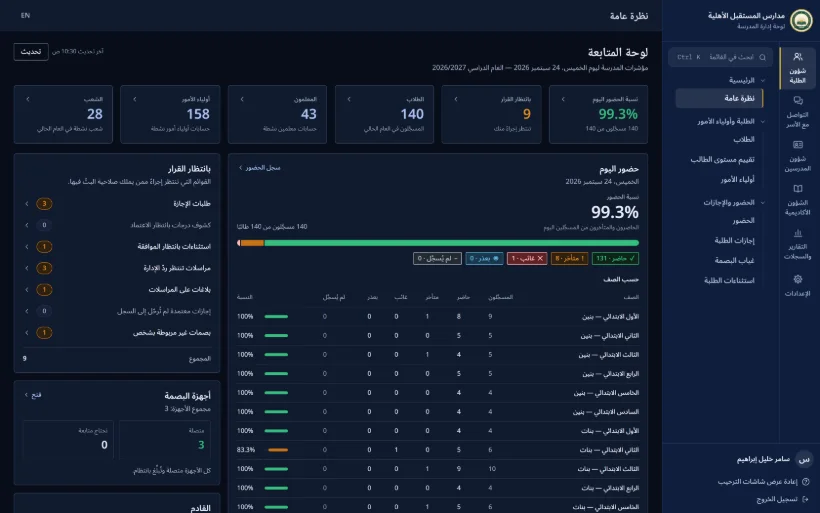
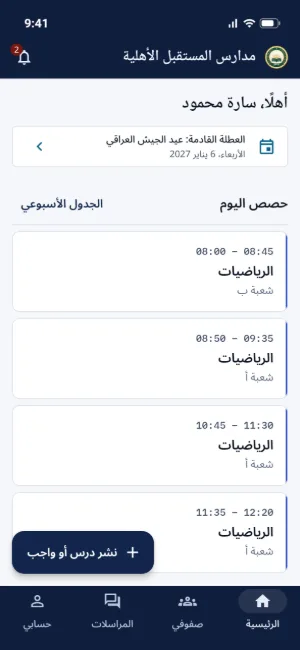
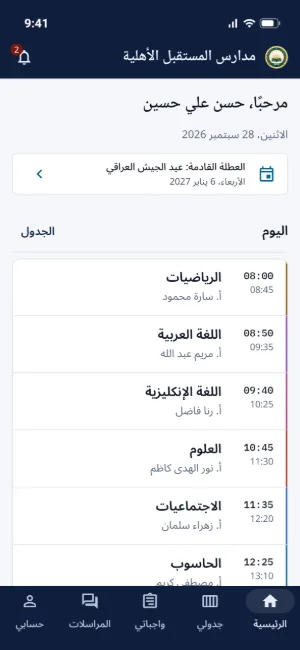
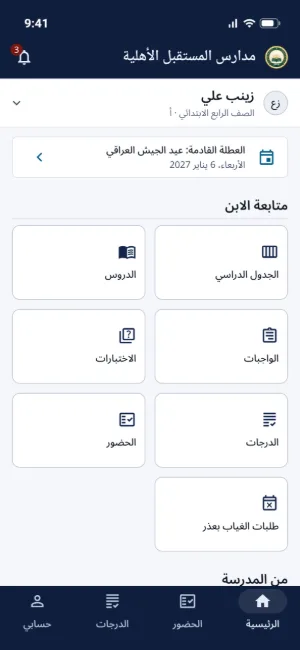
Screenshots show a sample school. Your app carries your own school's name and crest.
The opportunity
Parents have changed. Has your school?
Few schools in Iraq have a platform of their own. Be the first in your area, and parents will notice.
| Today | With School IQ |
|---|---|
| Messages scattered across chat groups | One app in your school's name |
| Paper registers and morning roll call | Attendance taken at the gate |
| Phone calls to check on the children | Notifications that reach families instantly |
| Results that wait for report-card day | Results the moment they're published |
| Decisions made on guesswork | Ready-made reports with charts |
| Forgotten passwords | A QR sign-in card |
Stand out
Your school on every family's phone, every day.
Stay in control
See your whole school at a glance.
Earn trust
Your data stays yours, and student chats are openly supervised.
Be the school parents talk about — not the one catching up.
Your brand
Your app. Your name. Your crest.
Families don't see a software company's name. They see their own school on their phone, every day.
your-school.school-iq.my
An app in your name
A standalone app that carries your school's name and crest.
Your own address
Your school's panels at its own address on school-iq.my.
Your own database
Your data is yours alone, never mixed with anyone else's.
Your colours, your sign-in
Your crest and colours on the panel, the app and the sign-in screen.
Welcome screens
The first thing families see is a message from you.
Arabic first
Set to Iraqi time and phone numbers, with English too.
Light or dark
Easy on the eyes, in the app and the panels.
Android and iPhone
Runs on Android 7 and later; iPhone coming soon.

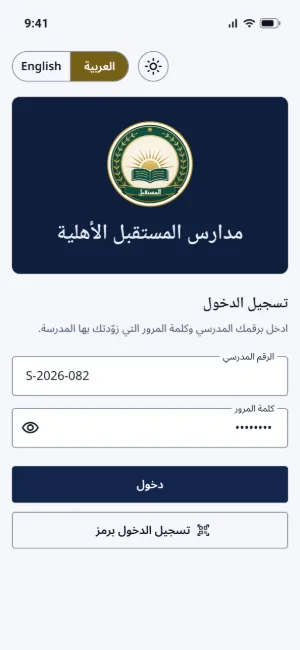
Screenshots show a sample school. Your app carries your own school's name and crest.
For everyone in your school
Everyone gets exactly what they need
One app for parents, students and teachers — and a complete panel for your office.
Peace of mind, before you even ask
Your child's attendance, marks, homework and school messages, all on your phone. No visits, no waiting.
Arrived at school
A notification the moment they pass the gate terminal, in and out.
Absent or late?
An alert the same day, not at the end of the month.
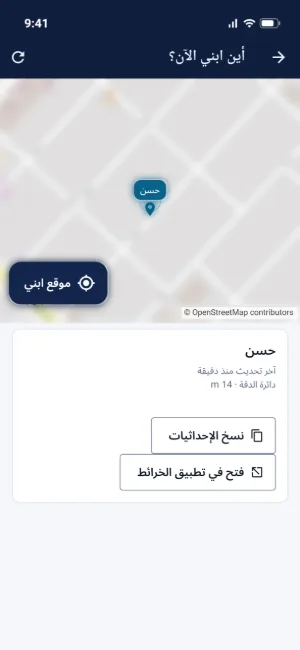
Where is my child?
Request their location and see it on the map.
Marks and results
The moment they're published, with a PDF report card.
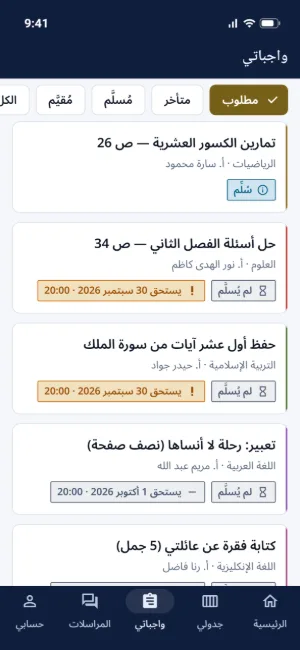
Homework and lessons
Know what's due before it's missed.
Request leave by phone
Attach a document. No trip to school.
Write to the office
Send a request and follow the reply step by step.
All your children, one account
Switch between them with a tap.
Know your child is at school before you've even reached work.
Entry and exit notifications need gate terminals. Absence alerts are switched on by the school. Location is shared only when you request it, while your child's app is open.
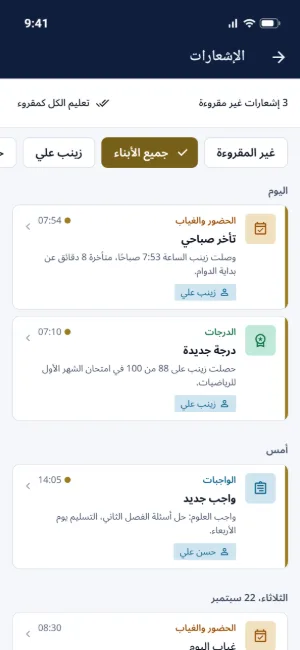
Their whole school, on their phone
Students who stay organised, ask without hesitating and take ownership of their progress.
My timetable
Today's and this week's classes, always at hand.
Hand in homework
Snap a photo or attach a file, then see the teacher's marking.
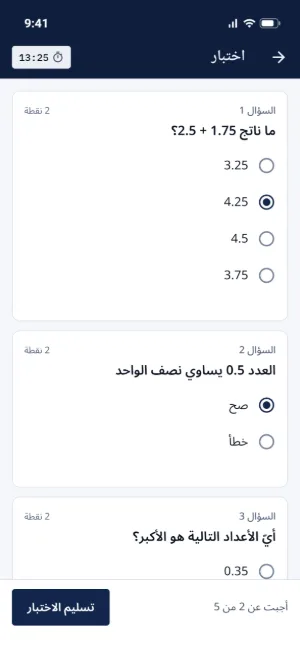
Quizzes on the phone
Take them in the app and see the result when it's released.
Paper quizzes, by photo
Get the paper, then send back a photo of the answers.
My marks and results
With a PDF report card the moment it's published.
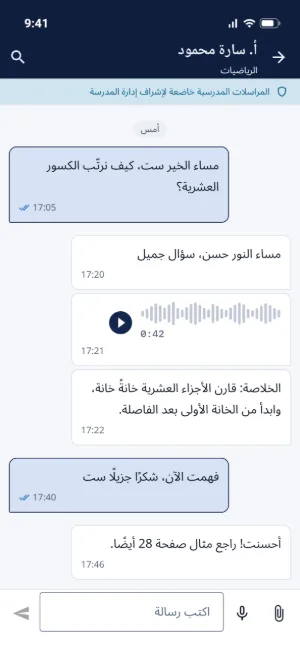
Ask your teacher
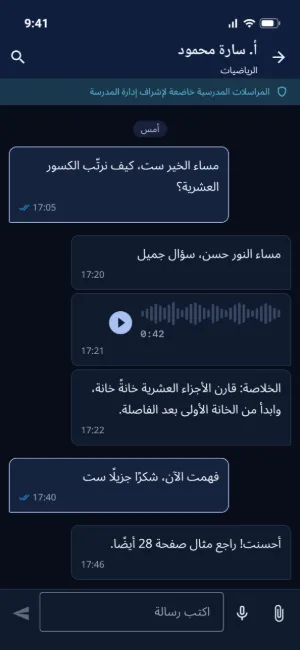
By text, photo or voice note, without the awkwardness.
My notes and tasks
A private notebook nobody else can read.
Less paperwork. More teaching.
Attendance, marks, homework and reports in a few taps, from phone or computer.
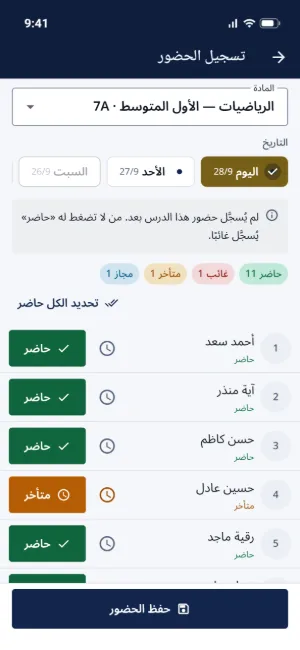
Attendance in seconds
For a whole class or a single period, right from the phone.
Quizzes that mark themselves
Multiple-choice and true/false questions are marked automatically.
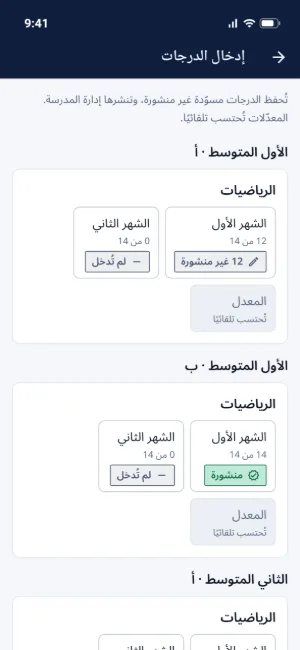
Marks from the phone
No mark books, no copying out.
Homework
Collect it, mark it and hand it back with feedback.
Notify my classes
Send a notification to a class's students or their parents in seconds.
Ready-made PDF reports
Attendance and quiz reports for your classes, ready to print.
Every student's level
Spot who's falling behind early, and step in.
Phone or computer
Use the app, or the teacher panel on a computer.
Your whole school, on one screen
From enrolment to published results — with decisions based on numbers, not guesswork.
Today at a glance
Attendance, homework and gate terminals in one view.
One-step enrolment
Student, parent, class and accounts, created in a single save.
QR sign-in cards
A printed card for each family, and no more forgotten passwords.
Import from Excel
Bring in every student at once, with no retyping.
A clash-free timetable
No teacher double-booked. Print it or send it out.
Follows the Ministry system
Coursework and final results calculated automatically.
Publish results in one click
Subject by subject, once a student's marks are complete, straight to families.
Reports centre
Attendance, marks and teachers in charts, with PDF and Excel export.
A level for every student
One indicator combining marks, attendance, activity and engagement.
Teacher performance
See who delivers, and who is slow to mark and reply.
NewParent accounts ready on enrolment day, with a sign-in card printed on the spot
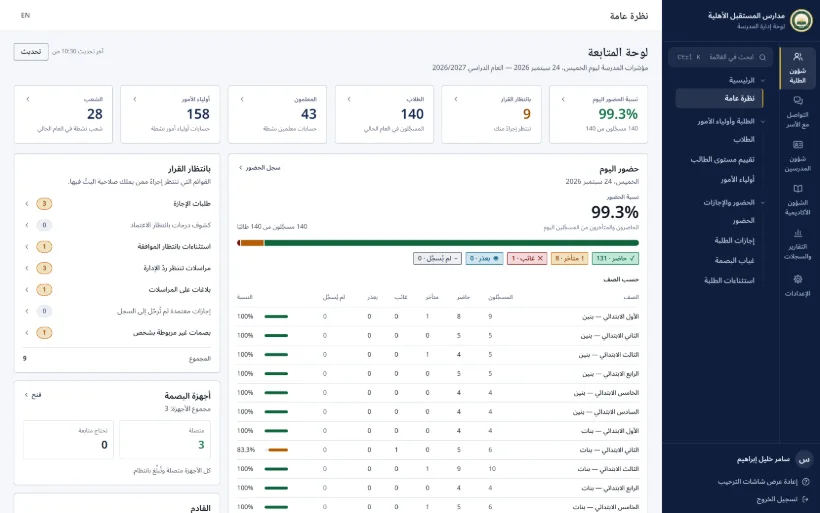
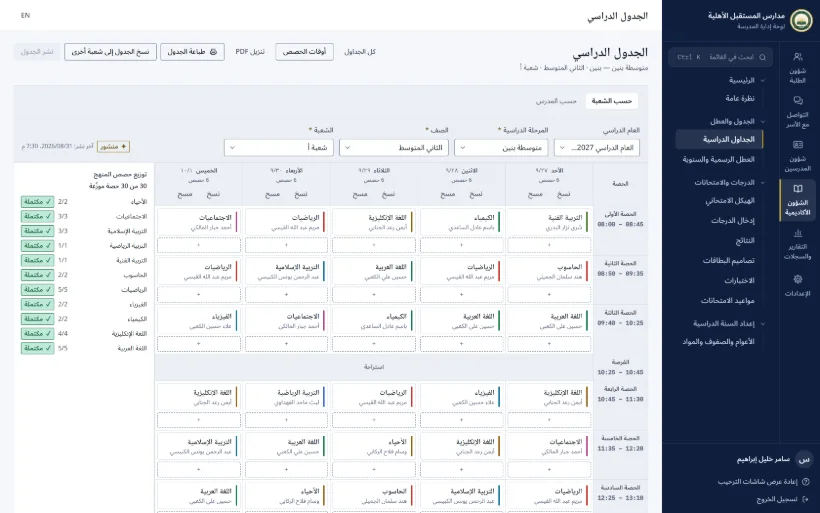
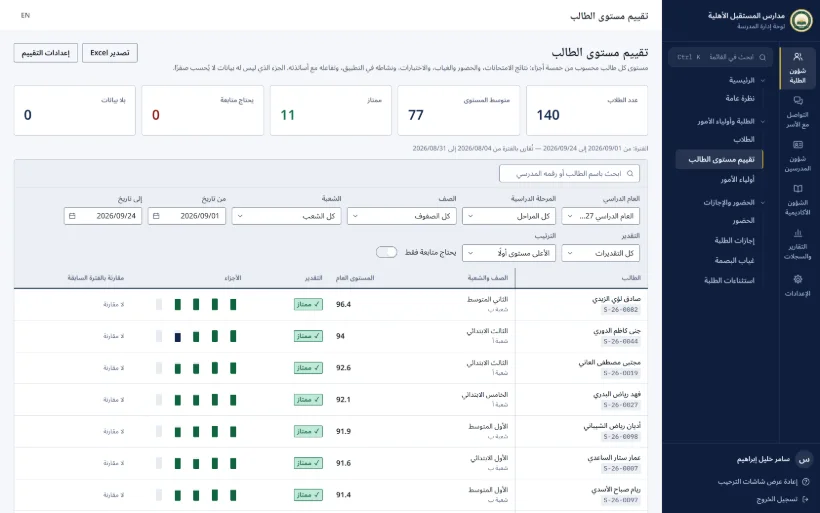
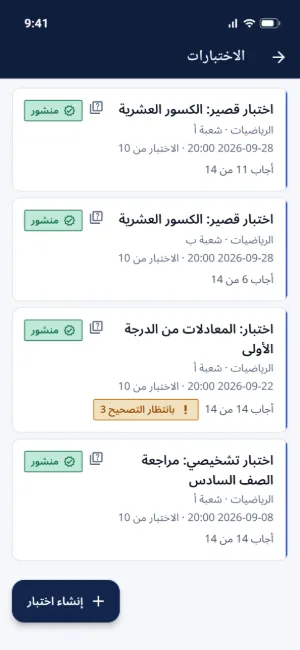
Screenshots show a sample school. Your app carries your own school's name and crest.
Smart attendance
Attendance that records itself at the gate
Students scan in at a face or fingerprint terminal. Attendance is recorded and parents are notified. No paper, no roll call.
- 1
Scans in
At the gate, by face or fingerprint.
- 2
Attendance recorded
By your school's own timing rules.
- 3
Parents notified
Entry and exit alerts on their phone.
- 4
The office sees it all
A record for every student and class.
Flexible timing rules
Set per school, stage or class.
No unfair absences
An incomplete scan is reviewed before it counts as an absence.
Documented exceptions
Exemptions or permitted lateness, each backed by a recorded decision.
Leave counted automatically
Approved leave shows up in attendance on its own.
A calendar per student
A student's whole attendance record at a glance.
Biometrics stay on the terminal
No face or fingerprint templates are stored on the server.
No terminals?
Teachers take attendance from their phone.
Works with network-connected ZKTeco face and fingerprint terminals.
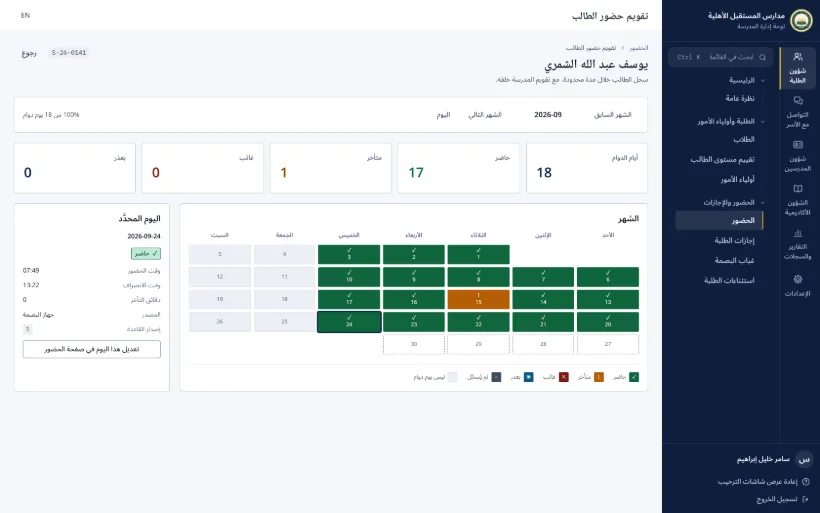

New in attendance
- Student photos reach every gate terminal automatically, even one that was switched offNew
- An office alert when a terminal goes offline and today's attendance is missingNew
Communication
Organised messaging, not group-chat chaos
Every message has its place, every request has an owner, and student–teacher chats are openly supervised.
Instant chat
Delivered in real time, with read receipts and voice messages.
Works offline
Messages are saved and sent once you're back online.
Targeted, scheduled notifications
To a stage, a class or one person, now or at a time you choose.
Delivery log
Who it went to, when, and whether it arrived.
Parent requests
Every request or complaint has an owner and a status, so nothing gets lost.
Direct office messages
The office talks with parents, teachers and students, with photos and voice notes.
Your school's noticeboard
News, announcements, events, photo albums and the principal's message.
Quick surveys
Hear from everyone in a click, and export the results.
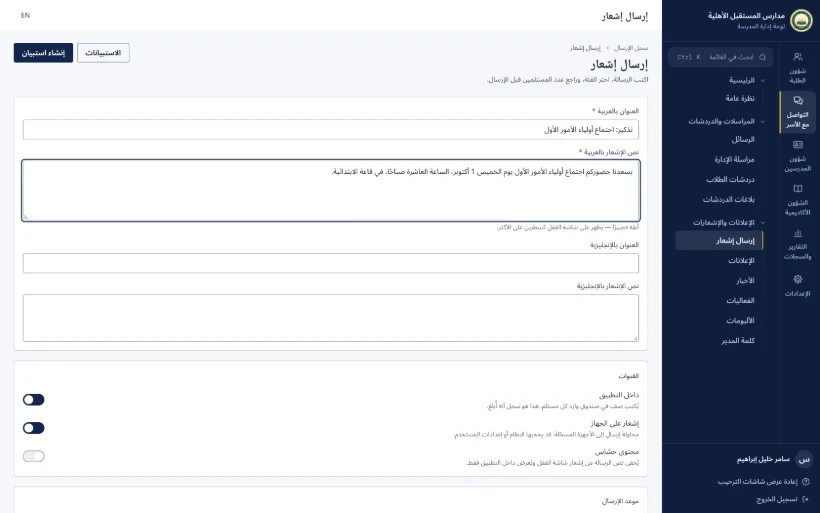
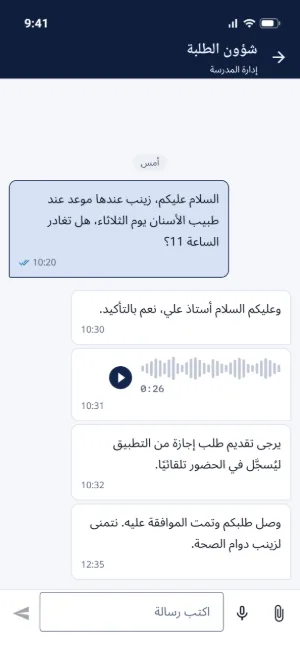
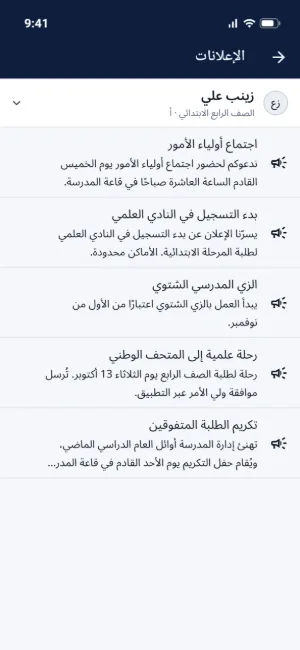
Screenshots show a sample school. Your app carries your own school's name and crest.
Security & privacy
Your students' data, in safe hands
Families trust you with their children. School IQ helps you keep that trust.
Open supervision
Everyone knows chats are supervised, and every review is logged.
Report in one tap
An abusive message goes straight to the office.
A clean lock screen
No marks or message text on the lock screen.
Protected accounts
Passwords changed at first sign-in, and permissions for every role.
Tamper-proof audit trail
Every change carries its author's name, and the log is protected.
Encrypted nightly backup
With an automatic restore test.
Retention you decide
The school decides when old data is deleted.
Account deletion
Users can delete their account inside the app, as the app stores require.
Every feature at a glance
Everything your school needs, in one platform
107 features, grouped by who uses them. Search for one, or pick a group.
- New
- Coming soon
- School switches it on
- With gate terminals
Parents
17- All my children in one account
- Entry and exit notificationsWith gate terminals
- Absence and lateness alertsSchool switches it on
- Day-by-day attendance record
- Marks and a PDF report card
- Homework and lessons
- Quiz results
- Weekly timetable
- Leave requests with attachments
- Write to the office and track the reply
- School messages with voice and photos
- My child's location, on request
- School news and activities
- Instant notifications
- Quick surveys
- Sign in with a QR code
- Account ready on enrolment dayNew
Students
13- My timetable and school day
- Lessons and files
- Hand in homework online
- Quizzes on the phone
- Paper quizzes by photo
- My marks and PDF results
- Exam schedule
- My attendance record
- Message my teachers
- Private notes and tasks
- School news and photos
- Sign in with a QR code
- Shares location when parents ask
Teachers
13- Phone or computer
- Attendance in seconds
- Lessons with attachments
- Homework and marking
- Self-marking quizzes
- Paper quizzes by photo
- Enter marks from the phone
- Class results and PDF report cards
- Printable weekly schedule
- Notify my classes
- Supervised chat with students
- Ready-made PDF reports
- Every student's level
Platform
18- An app in your school's name
- Your own web address
- A separate database
- Arabic first, on Iraqi time
- Light and dark themes
- Chat that works offline
- Instant chat and voice messages
- Android 7 and later
- iPhone and iPad versionComing soon
- Instant notifications with a saved inbox
- Lock-screen privacy
- Open, transparent supervision
- Password change at first sign-in
- No biometrics stored on the server
- Encrypted nightly backup
- Retention periods set by the school
- In-app account deletion
- Stay signed in
Administration
46- Today at a glance
- One-step student enrolment
- Printed family sign-in sheet
- QR sign-in cards
- Import students from Excel
- Unified attendance with a calendar per student
- Flexible timing rules
- Documented student exceptions
- Automatic attendance at the gateWith gate terminals
- Incomplete-scan reviewWith gate terminals
- Student photos synced to terminalsNew
- Offline-terminal alertNew
- Automatic parent accountNew
- Student leave requests
- Repeated-absence watchlist
- Clash-free timetable
- Public and school holidays
- Teacher assignments and workloads
- Academic-year setup
- Ministry-aligned exam structure
- Mark entry on screen or from Excel
- One-click result publishing
- Report cards in your school's design
- Exam schedules
- Quiz oversight
- A level indicator for every student
- Targeted, scheduled notifications
- Delivery log
- News, announcements and events
- Photo albums
- Principal's message
- Quick surveys
- Parent requests
- Direct office messages
- Documented chat supervision
- Reported messages
- Reports centre
- Teacher performance reports
- App sign-in activity
- Fine-grained staff permissions
- Features on or off per role
- Tamper-proof audit trail
- Morning briefingSchool switches it on
- New-year rollover with a preview
- School branding and appearance
- Welcome screens written by the school
No feature matches that search. Try another word.
Inside the product
The real product, shown with a sample school
The app and the admin panel, in light and dark.
Parent home screen 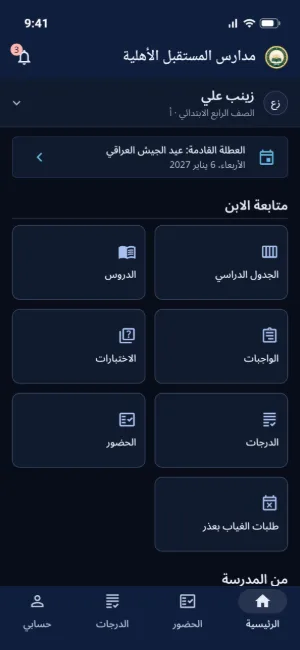
Parent home screen in dark mode 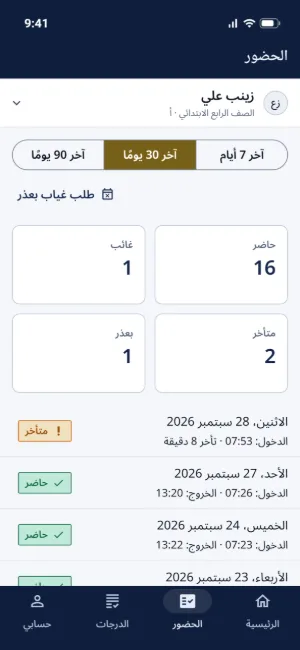
Attendance record 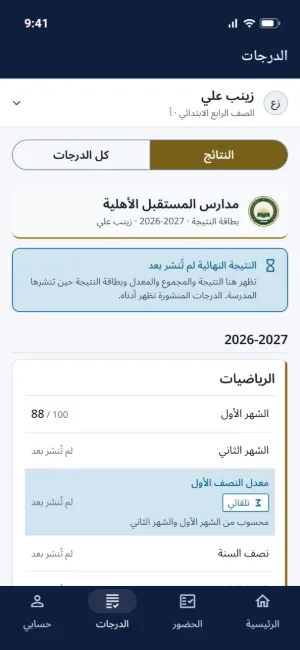
Marks and results 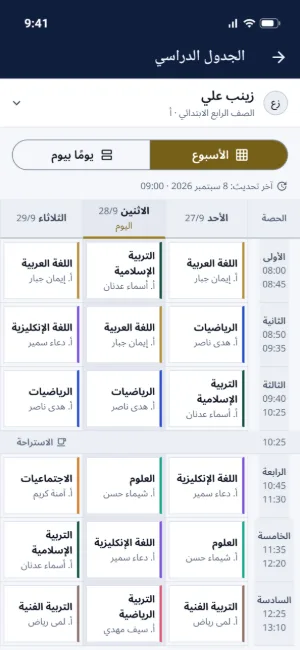
Weekly timetable 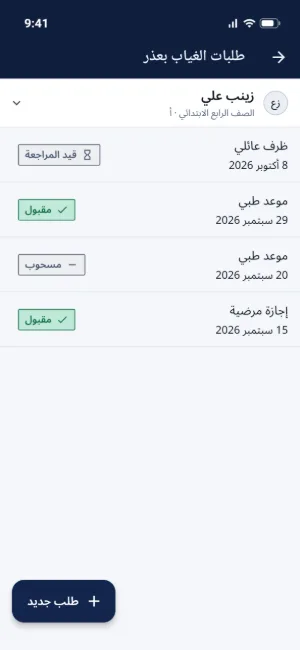
Leave requests 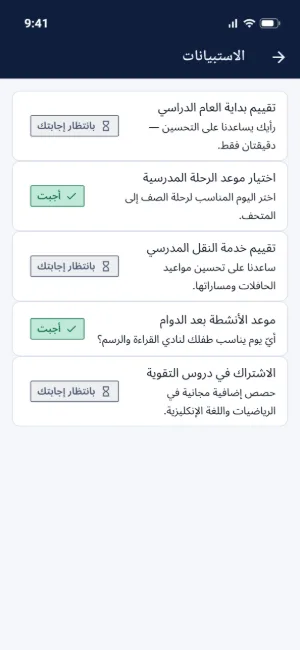
Surveys 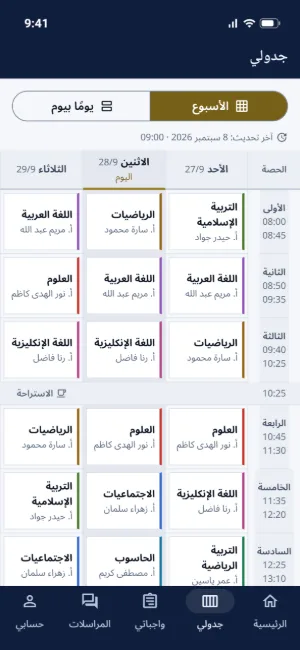
Student timetable 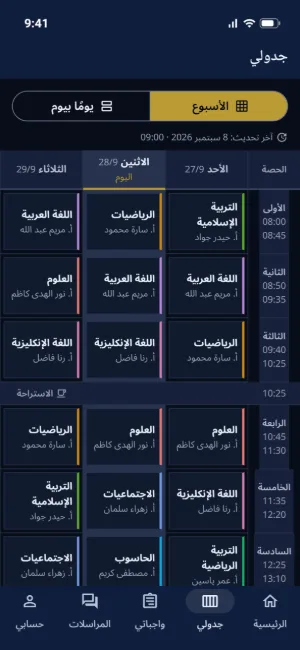
Student timetable in dark mode 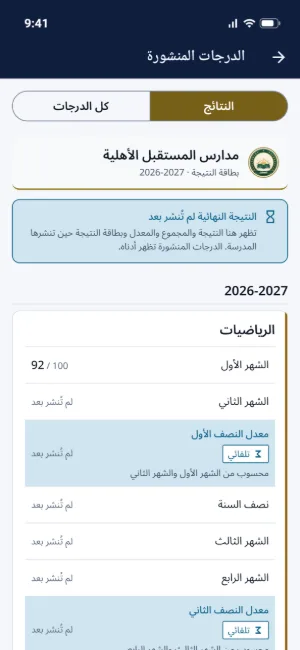
Student results 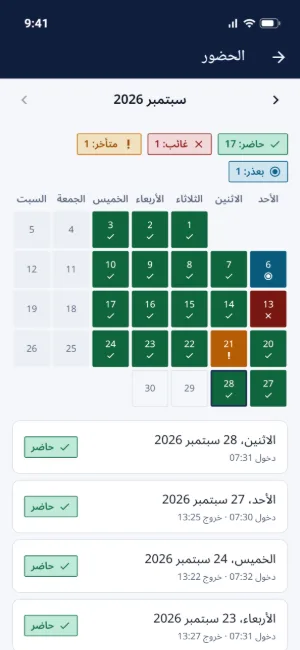
Student attendance 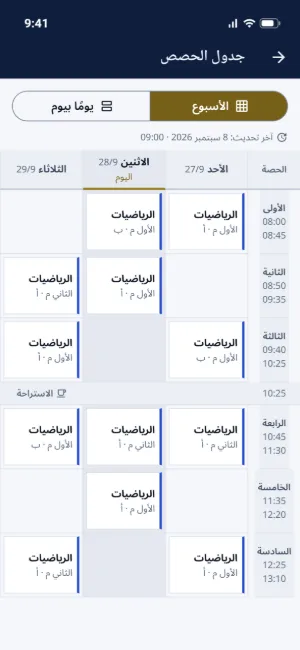
Teacher's class schedule 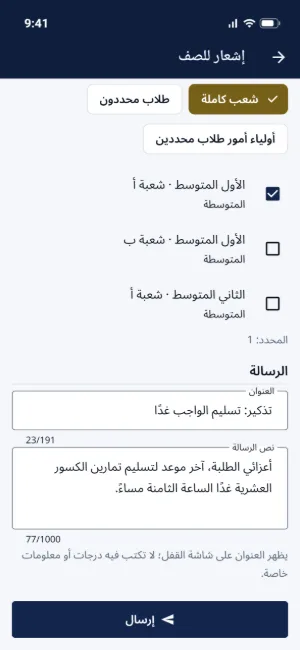
Notifying a class 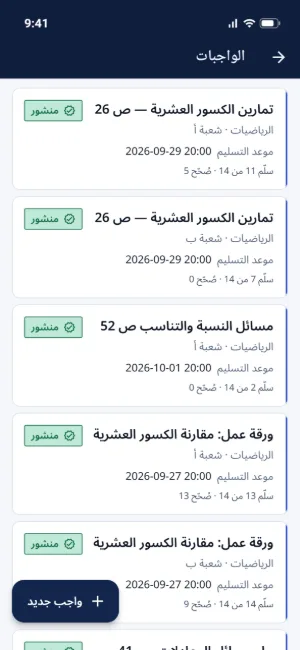
Teacher's homework list 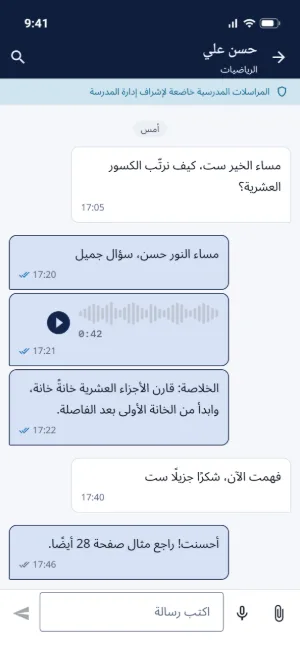
A teacher's chat with a student Sign-in screen
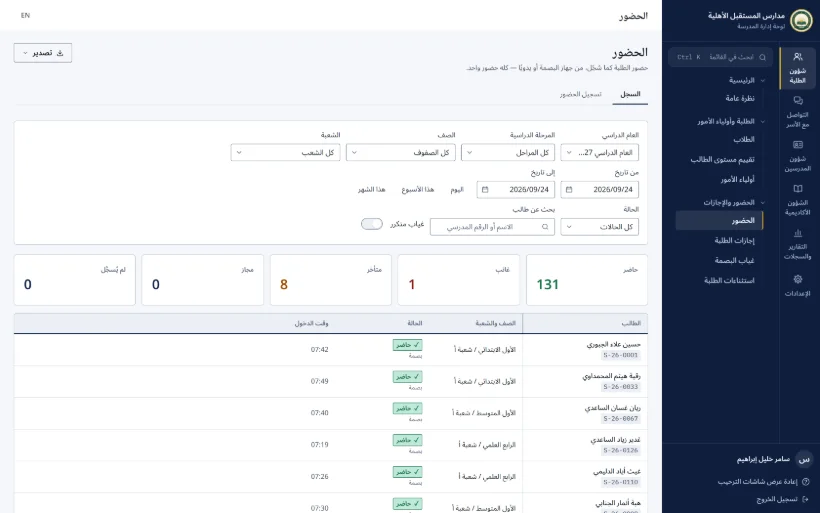
Attendance records 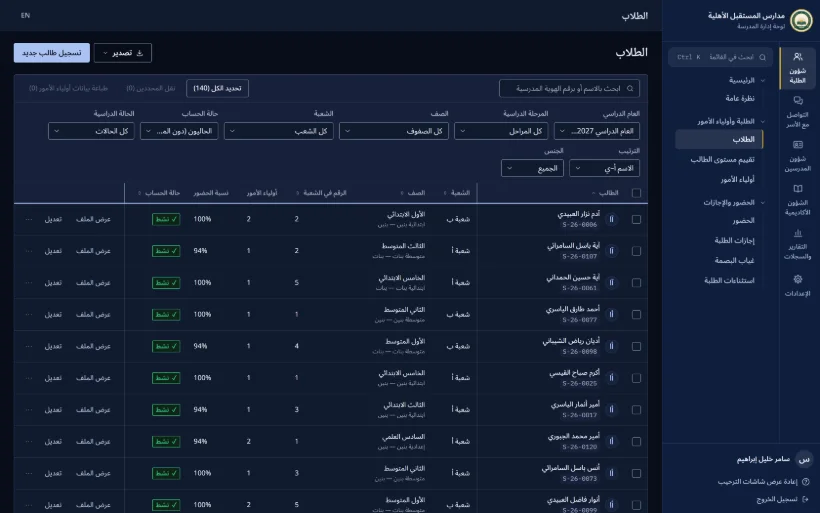
Student list in dark mode 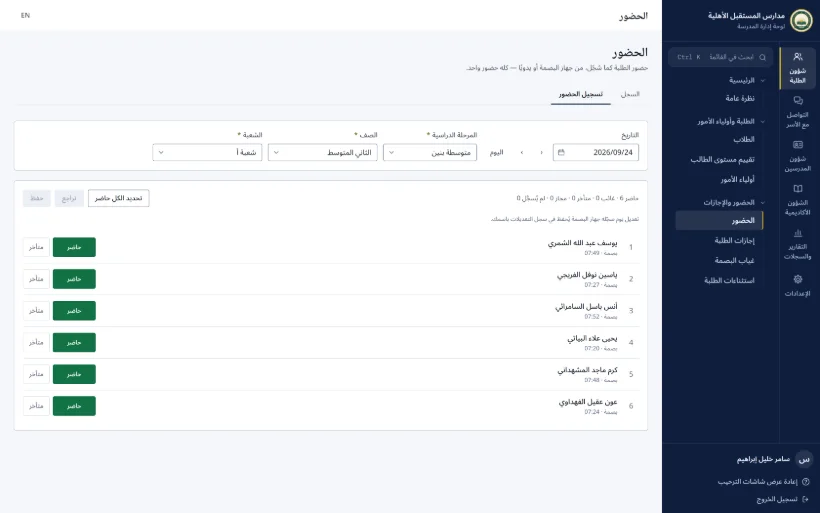
A class attendance register 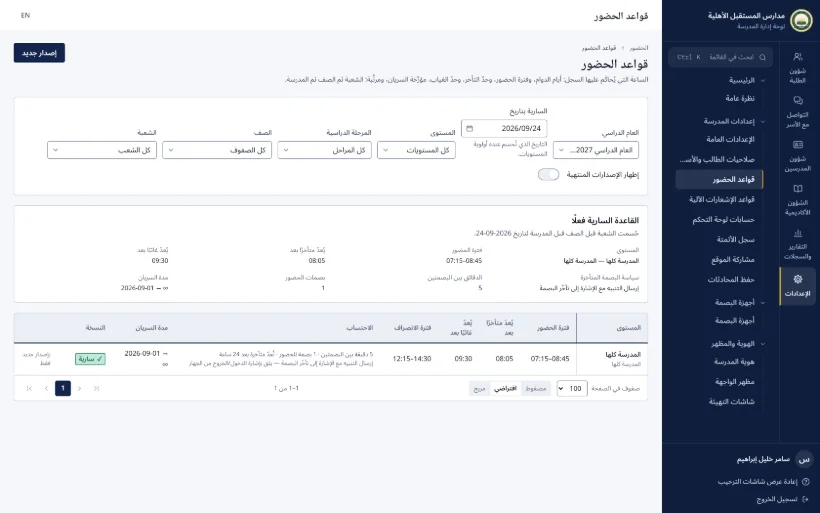
Timing rules 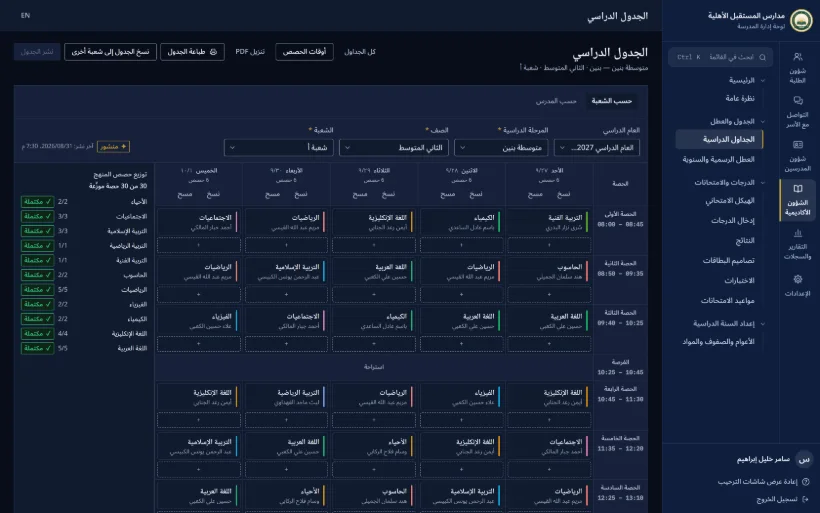
Timetable in dark mode 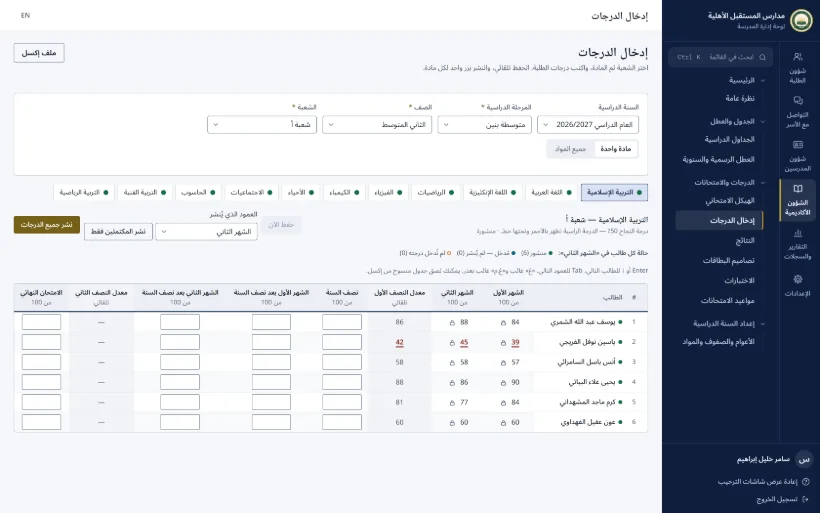
Mark entry 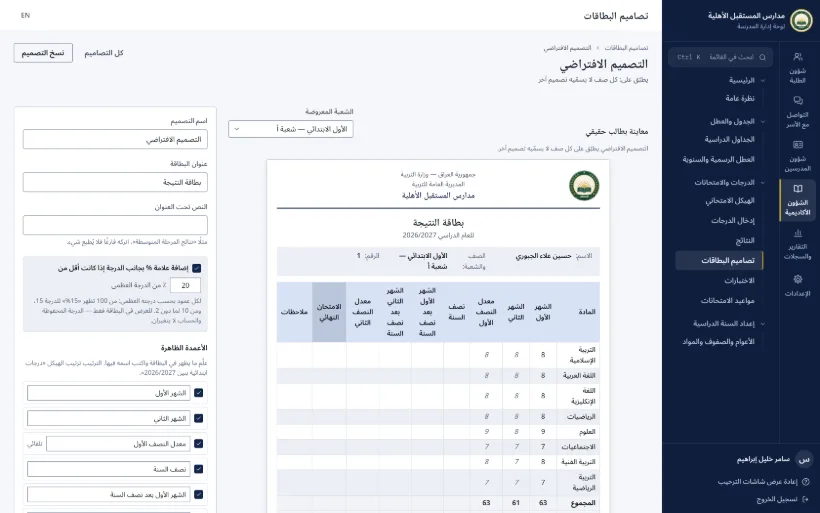
Report card design 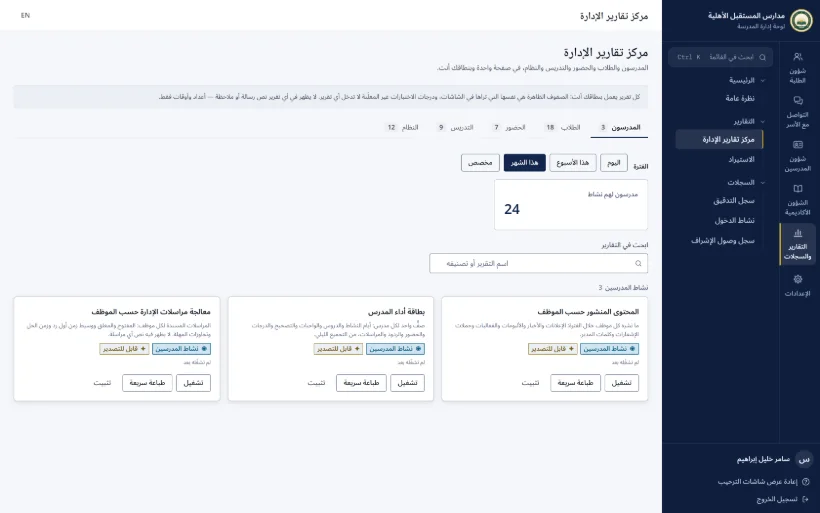
Reports centre 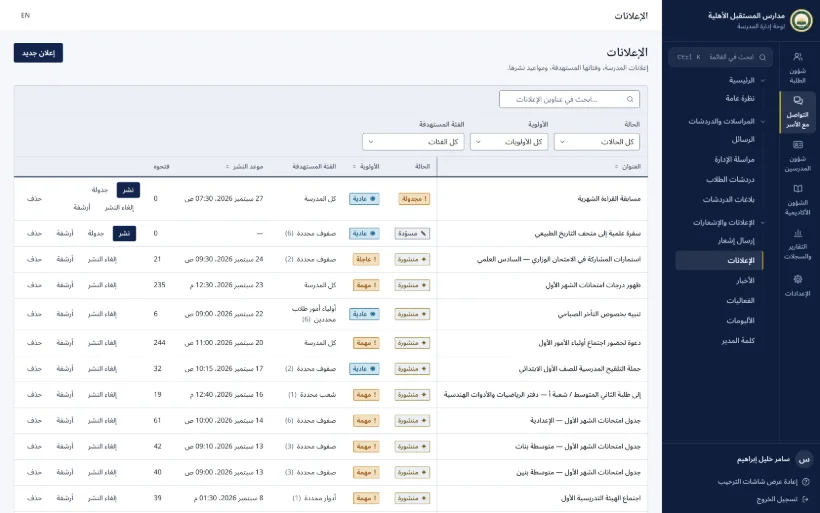
Announcements 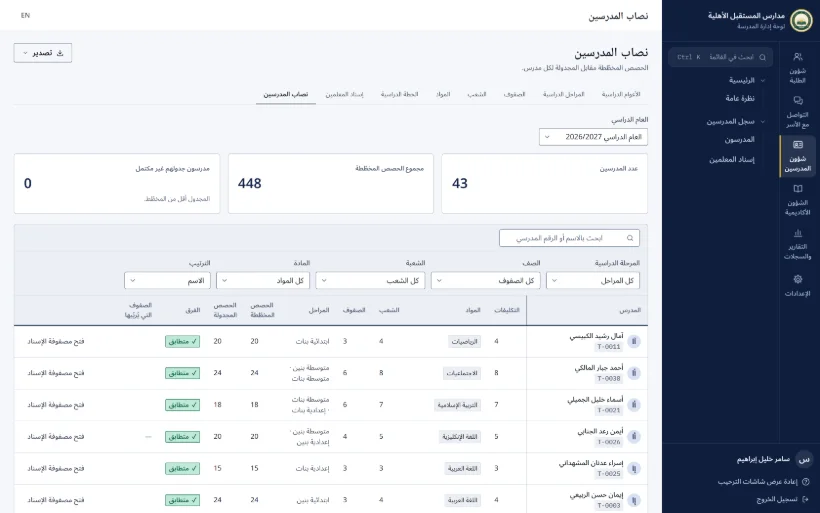
Teacher workloads
Click any screenshot to see it full size
Screenshots show a sample school. Your app carries your own school's name and crest.
Getting started
Four steps to your school on every family's phone
We're with you from the first demo to launch day.
- 1
A free demo
We walk you through the platform live and answer your questions.
- 2
Your brand
Your school's name, crest, colours and web address.
- 3
Your data
Students imported from Excel, plus your timetable and subjects.
- 4
Launch
Families scan their cards and sign in. Your school is live.
The schools that lead today are the ones parents choose tomorrow.

Book a free demo for your school
Message us on WhatsApp and we'll show you your school on a phone, before you decide anything.
WhatsApp+964 772 658 7102